Affiliates, boxes, and functional fitness gyms
Membership Software for
CrossFit Gyms
CrossFit gyms run on a whiteboard full of classes, a community that shows up at 5 a.m., and dues that have to come in every month.
Sound Familiar?
Drop-ins show up, pay in cash or by phone, and never sign a waiver.
A drop-in signs the waiver on the iPad and pays in one tap, and lands in your member list.
You find out an athlete's card failed three months later.
Failed payments retry on their own, the athlete updates their own card, and you see every lapsed account.
You pay for a booking app, a payments app and an email tool that don't talk.
Classes, billing, check-in and email live in one place.
What Your Demo Shows
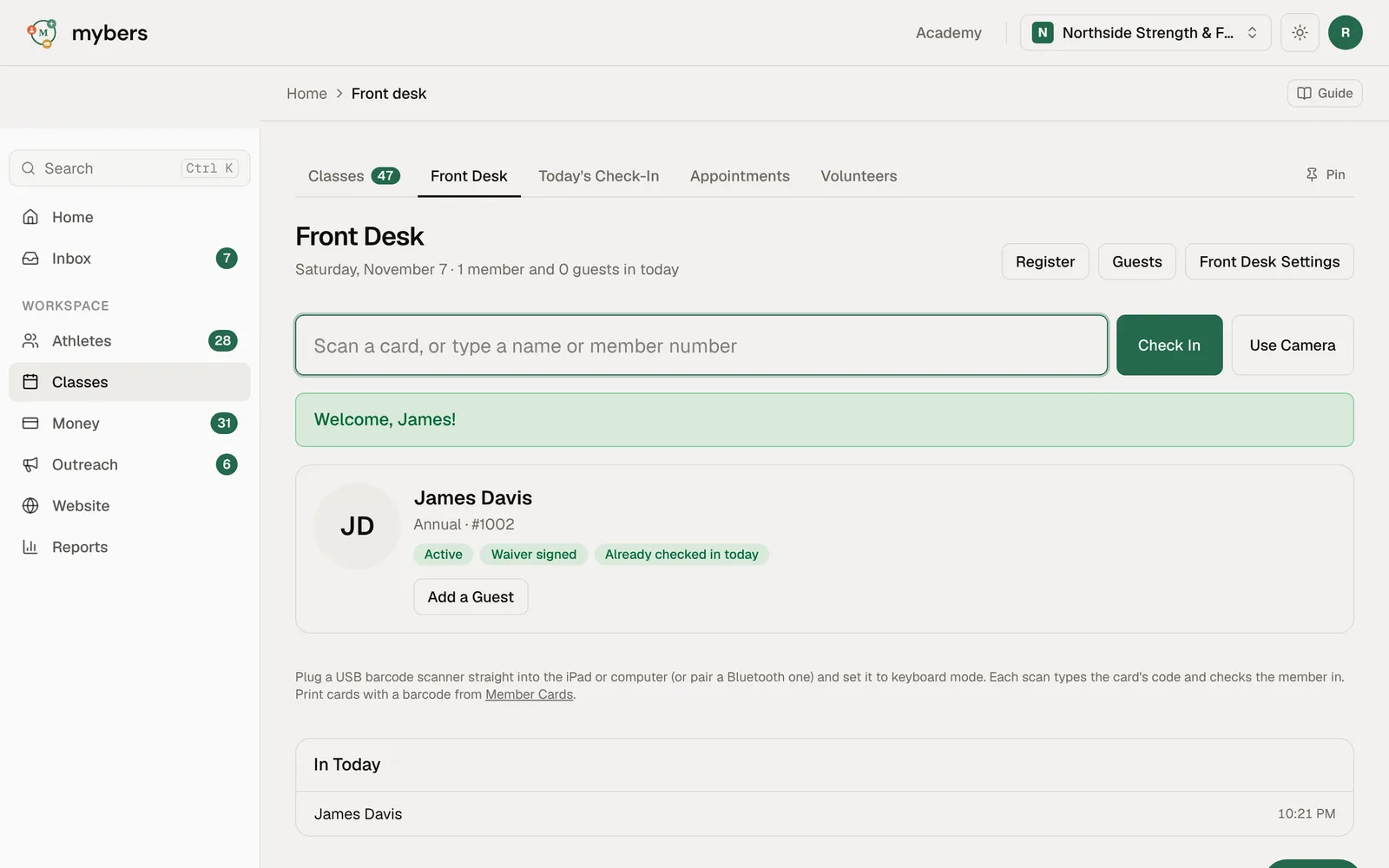
Your plans, a week of classes, and a front desk where athletes scan a key tag on the way in, a drop-in pays in one tap, and each scan shows who's paid up, lapsed or missing a waiver.
We build each demo around the organization that asks, with your name, your plans and sample athletes. Get Your Own Demo →
The Price, Up Front
It's the first thing everyone asks, so here it is. Only current athletes count: never lapsed ones, guests or one-time donors.
Starter Tier
Free
Up to 100 athletes: check-in, waivers, class packs and the shop.
Core
$400/mo
Up to 1,000 athletes, plus texts, calls, campaigns and your own branded app.
Complete
$1,490/mo
Up to 5,000 athletes, with more calls and texts included.
Mybers takes 1% on dues and 2% on packs, passes and shop sales, plus your card processor's own rate. Cash and checks carry no fee. Pay yearly and get 2 months free. Full pricing →
One Tool Instead of Four
Most CrossFit Gyms pay for four tools that don't talk to each other. Mybers does all four jobs from one list of athletes.
A booking and class app
Classes, packs and waitlists
A check-in app that needs its own hardware
Scan check-in on your own iPad or Android tablet
A separate point of sale for the counter
The Register, on the same tablet
An email and text tool
Email, and texts and calls on Core
Dues That Collect Themselves
- Dues bill on their own, monthly or yearly.
- Reminders go out before and after the due date, so nobody has to ask.
- When a card fails, the payment retries and the athlete updates their own card.
- You see who's paid up, who's due and who's lapsed, on one list. Cash and checks count too.
A Front Desk on Your Own Tablet
- Athletes scan a key tag, ID card or phone, and you see paid up, lapsed or missing a waiver.
- Any USB or Bluetooth barcode scanner works. No special stand, no locked-in hardware.
- Sell drinks, gear and day passes on the same tablet: card reader, card on file, pay-by-QR or cash.
- A guest or walk-in signs the waiver right there and lands in your list.
What Matters Most for CrossFit Gyms
- Scan check-in with any USB or Bluetooth scanner
- The Register: card reader, card on file, QR or cash
- Self check-in kiosk
- Guests with limits and waivers
- Class packs & credits
- Member ID cards & key tags with barcodes
Mybers runs your plans and class schedule, checks athletes in with a key tag scan, takes drop-ins and their waivers at the door, and sells shakes and tees at the same iPad, so the coaches can coach. See all features → See the devices and scanners that work →
Set Up for You, If You Want
Import your athletes yourself, free on every plan, or let us do it all for you over a screen share: your plans, your dues and your athletes, moved before you pay a dollar. Setup is free while we're in beta. You talk to a person who knows your setup, not a script.